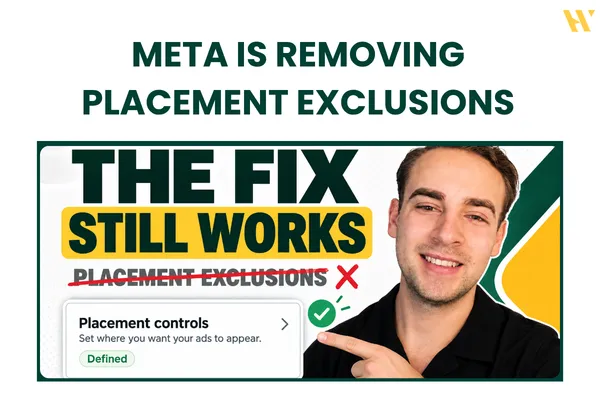
Meta Ads Placement Exclusions Removed? 3 Workarounds That Still Work in 2026
Meta Ads Placement Exclusions Removed? 3 Workarounds That Still Work in 2026
Everyone is freaking out about the latest Meta Ads placement updates.
Meta is moving toward giving advertisers less control over where their ads appear, and some advertisers have already seen warnings inside Ads Manager about upcoming changes to placement exclusions.
If you run Facebook or Instagram ads, this matters.
You might have a campaign that performs really well on Facebook Feed and Instagram Stories, but completely wastes money on Audience Network or other placements.
Previously, you could go into your ad set settings and manually remove those placements.
Now, Meta is moving toward a more automated advertising system where you have fewer options to control delivery.
But does this mean you have to spend money on every placement Meta recommends?
Not necessarily.
In this article, I'm going to break down what's happening with Meta Ads placement exclusions, show you three workarounds, explain why I personally avoid Audience Network, and share what I think the future of Meta advertising will look like.
I'll also show you a real example from my ad account where cheap Audience Network traffic was making my campaign metrics look better than they actually were.
If you prefer watching the actual walkthrough, I recorded a video showing the placement controls and value rules inside Ads Manager.
Watch the full video here:
1. What is happening to Meta Ads placement exclusions?
Meta has been moving toward more automated advertising for a while.
Think about Advantage+ placements, Advantage+ audience, and the creative enhancements that can automatically change your images, videos, and ad formats.
The platform is slowly reducing the number of settings advertisers can manually control.
Placement exclusions are another part of this direction.
Some advertisers have received a notification inside their ad accounts warning that changes to placement settings are coming and that excluding placements, platforms, devices, and operating systems at the ad set level will no longer be available.
That's a pretty significant change for anyone who likes to control exactly where their ads appear.
Instead of manually selecting Facebook Feed, Instagram Feed, Instagram Stories, and other individual placements, advertisers may have to rely more heavily on Meta's automated delivery system.
During the recording of my video, Meta had already made changes to certain placement options, including Messenger Stories and Instagram Explore Feed.
However, I had not seen an official announcement confirming one universal removal date for all ad accounts.
That distinction matters because Meta can introduce changes gradually, and the settings available in one ad account might not be identical to those available in another.
The important thing is to understand your options before you lose access to the controls you currently use.
And there are still a few things you can do.
2. Workaround #1: Use account-level placement controls
This is the first thing I would check inside your Meta ad account.
Even if Meta removes certain placement exclusions from individual ad sets, account-level placement controls provide another way to manage eligible placements.
In my video, I show how I used this setting to remove Audience Network from my account.
Here's how to find it.
Step 1: Open Advertising Settings
Go to Meta Ads Manager and search for Advertising Settings in the left-hand menu.
Before changing anything, make sure you have selected the correct ad account.
You can use the dropdown in the top-right corner to switch between accounts.
This is particularly important if you're managing ads for multiple businesses or clients.
You don't want to change placement settings in the wrong account.
Step 2: Find Placement Controls
Inside Advertising Settings, look for the Placement Controls option.
Click on it to see the available account-level placement settings.
In the version of Ads Manager shown in my video, there is a setting that allows you to specify that your business can only advertise on certain placements.
Turn this option on.
You should then see the available placement and platform options that your account allows you to control.
Depending on the account and available settings, these might include Facebook Marketplace, Facebook Right Column, Audience Network, and other eligible placements.
Not every placement will necessarily have an individual exclusion option.
Step 3: Exclude Audience Network
For my own campaigns, Audience Network is one of the first placements I check.
If you watch my videos, you already know I hate Audience Network.
I have tested it across different campaigns, and I usually see cheap traffic without the conversion quality I want.
In my example, I removed Audience Network from the available placement options.
Once you've selected the placements you want to exclude, review the changes and save your settings.
Remember that these are account-level controls.
You should consider how the changes affect the other campaigns running in the same ad account, not just the one campaign you're currently optimizing.
Step 4: Verify the changes inside your campaign
Don't just change a setting and assume everything is working.
In my video, I go back into Ads Manager and duplicate an existing ad so I can check the placement settings.
When I scroll down to Placements, expand the additional settings, and open Platforms, Audience Network is already excluded.
That's because I changed the placement controls at the account level.
The exact interface and available settings may change as Meta continues updating Ads Manager, so check how your account behaves rather than relying on an old screenshot.
One more thing to watch out for:
In the version of Ads Manager shown in my video, removing another platform, such as Threads, can reveal an option that allows limited spending on excluded placements.
If your goal is to avoid spending money on those placements completely, review that option carefully.
There is a reason you excluded those placements in the first place.
Account-level placement controls are the first workaround I would investigate, especially if you're concerned about losing ad set-level exclusions.
But what if you want more control over an individual campaign?
That's where the second workaround comes in.
3. Workaround #2: Use Meta Ads value rules
Meta Ads value rules give advertisers another way to influence how the system values certain audiences or placements.
Instead of completely excluding a placement, you can adjust how much value Meta assigns to the selected traffic.
In my video, I demonstrate how to create a placement-based value rule for Audience Network.
Here's the process.
Step 1: Find Value Rules in Ads Manager
Open your ad account and look for Value Rules.
You should find this option around the conversion and tracking-related settings in the Ads Manager interface shown in the video.
Click on Value Rules and create a new rule set.
If Meta asks you to accept the terms before continuing, review them and proceed.
Step 2: Select your criteria
When creating a rule, Meta may allow you to choose between different criteria.
In my example, the two options are Audience and Placement.
For this workaround, select Placement.
Then choose the placement you want to adjust.
I selected Others: Audience Network.
Step 3: Decrease the value for Audience Network
Once you've selected the placement, you can apply a value adjustment.
For example, you could decrease the value by 50% or 90%, depending on the options available in your account.
The idea is to signal that conversions from the selected placement are worth less to your business.
This can influence how Meta bids and allocates your budget.
However, there is an important difference between value rules and placement exclusions.
A value rule does not guarantee that Meta will stop spending money on a placement.
It changes the value Meta uses when making delivery decisions, rather than creating a hard block.
You also need to consider whether your campaign objective, optimization event, and account setup support the value rule you want to use.
Don't assume every campaign will have exactly the same options.
Step 4: Save the rule and monitor your results
Once you've created the rule, save it and review how your campaign performs.
Pay attention to whether the amount of spending on the selected placement changes.
Also check whether the adjustment affects your overall conversion volume or acquisition costs.
I wouldn't automatically apply a 90% decrease to every account.
Look at your actual placement data first.
If Audience Network is generating profitable purchases or qualified leads for your business, you need to account for that before making a major adjustment.
The goal isn't to remove placements simply because somebody on YouTube told you to.
It's to stop wasting money on traffic that isn't delivering the results your business needs.
4. Why I usually exclude Audience Network from my Meta Ads
Let me show you why I care about placement controls in the first place.
In the video, I open one of my previous ad sets and look at the placement breakdown.
The ad set had only spent around $9.
But when I checked the results, I noticed something interesting.
Facebook and Instagram were generating conversions, while Audience Network had already taken approximately $2 of the budget.
That's more than 20% of the total spend in that particular example.
And the traffic quality was completely different.
Audience Network had very cheap CPMs, low CPCs, and a high CTR.
On paper, those numbers can look fantastic.
You might open your ad account, see that your CPC has dropped, and assume your campaign is improving.
But cheap clicks don't automatically mean good traffic.
The problem with accidental clicks
Audience Network allows ads to appear across third-party apps and websites.
Imagine someone playing a game on their phone.
They see an ad, but they're not necessarily interested in the product.
They just want to get back to the game.
They might accidentally tap the ad while trying to close it.
Now, Meta records an interaction, but the person has no intention of visiting your website or buying anything.
They might leave before your landing page even finishes loading.
Of course, not every Audience Network click happens this way.
But it's one possible reason why you can see a significant difference between clicks and actual landing page visits.
That's why I don't judge placement performance based on CPC and CTR alone.
Look at the clicks-to-landing-page-view ratio
One of the most useful checks is comparing link clicks with landing page views.
In the example from my video, the Audience Network landing page view-to-click ratio was only 18%.
That means only around 18 landing page views for every 100 clicks measured in that breakdown.
The remaining clicks were not translating into recorded landing page visits.
There can be several reasons for that difference, including accidental clicks, slow page loading, or tracking limitations.
But if you're paying for traffic and most of those clicks never become actual website visits, that's something you need to investigate.
A cheap click isn't worth much if the person never reaches your offer.
And a high CTR doesn't help if those visitors never convert.
What you should actually measure
When you're reviewing your Meta Ads placement breakdown, look beyond the cheapest CPC.
Check the actual results that matter to your business.
For an eCommerce store, that could be purchases, cost per purchase, and ROAS.
For a local business, it might be qualified leads, booked appointments, or actual customers.
For a Skool community, it could be trial signups, paid members, and the revenue generated by those members.
You also need to make sure your conversion tracking is accurate.
If your pixel is missing conversions, your placement breakdown might not tell the full story.
I personally haven't had good conversion results from Audience Network in my campaigns, which is why I usually prefer excluding it.
But you should make that decision based on your own numbers rather than assuming every business will get the same results.
For a more detailed breakdown of how I approach testing and campaign optimization, check out my Meta Ads campaign structure guide.
5. Workaround #3: Optimize your ad creative for each placement
The third workaround is different from the first two.
It doesn't technically exclude a placement.
Instead, it helps you prepare for an advertising system where your campaigns may run across more placements with less manual control.
If Meta is going to give advertisers fewer placement options, your creative needs to work across the placements where your ads can appear.
Think about the difference between a Facebook Feed ad and an Instagram Story.
A horizontal video might work well in one environment but look terrible in a vertical placement.
A static image designed for Facebook Feed might have text cut off when displayed in Stories or Reels.
And a video that looks good on your desktop might have important elements hidden behind Instagram's interface.
You need to account for these differences when producing your ads.
Create placement-friendly versions of your winning creatives
Instead of relying on one image or video for every placement, create versions that work in different formats.
For example, you could use a 4:5 image for feed placements and a 9:16 version for Stories and Reels.
For vertical video, keep important text, captions, and calls to action within the visible safe zones.
Meta also recommends using vertical video and keeping important content within the safe zone for Reels advertising.
The point is to make sure your message stays clear regardless of where your ad appears.
Don't completely change the concept every time you create a new format.
If you already have a winning ad, start by adapting that same message and creative angle.
Then test whether those variations improve performance across the available placements.
If you want to create more ads without spending hours manually designing every variation, check out my AI creative workflows for Meta Ads.
6. What does this mean for the future of Meta Ads?
This is where things get interesting.
We're losing more and more manual control inside Ads Manager.
Meta keeps introducing additional automation, and the platform is becoming less dependent on advertisers manually selecting every individual setting.
I don't personally agree with removing useful controls from experienced advertisers.
If I know that a certain placement consistently wastes money in my campaigns, I want to be able to exclude it.
I don't want to depend entirely on an automated system to make that decision for me.
At the same time, I think we need to look at where advertising is heading.
Imagine building your entire campaign with a simple prompt
I think the future of Meta Ads could eventually look similar to ChatGPT or Claude.
Instead of spending time manually configuring every part of a campaign, you might open an interface and type something like:
"Retarget my Instagram engagers from the last 30 days using my static image creative and a $20 daily budget."
And the system could automatically create the campaign for you.
Audience selection, budget allocation, placements, creative setup, and campaign structure could all become increasingly automated.
This is my prediction, not an announced Meta Ads product roadmap.
But we can already see some of this direction with AI tools and integrations.
In a previous video, I demonstrated how Meta Ads MCP can be used with ChatGPT to help build advertising campaigns.
If you want to learn more about that workflow, read my guide on building a Meta Ads campaign with ChatGPT and Meta Ads MCP.
The technology is already changing how much manual work goes into managing advertising campaigns.
And I think that will continue.
Creative strategy will become even more important
If advertisers have fewer targeting and placement controls, what can they still influence?
Their offers, messaging, creatives, tracking, and business results.
You can still create better videos.
You can still test stronger hooks, different angles, and more effective static images.
You can still improve your landing page, understand your audience, and measure whether your advertising is actually generating revenue.
That's why I think media buyers will need to become better creative strategists.
Instead of spending all day looking for small settings inside Ads Manager, we need to spend more time understanding what makes people stop scrolling and take action.
That doesn't mean campaign setup and data analysis are becoming irrelevant.
You still need to understand your numbers, identify wasted spending, and know when to scale or pause campaigns.
But the competitive advantage may increasingly come from the things you create and the quality of your marketing strategy.
If two advertisers have access to the same automated campaign settings, the quality of their offers and creative can make a significant difference.
That's where I think we should be spending more of our time.
7. What I would do in my Meta Ads account right now
If you're concerned about the placement exclusion changes, here's how I would approach it.
First, open your Advertising Settings and check which account-level placement controls are currently available.
If you're using placements that consistently underperform, investigate whether you can exclude them at the account level.
Second, check whether placement-based value rules are available for your campaigns.
If you can't exclude a placement but still want to influence how Meta values traffic from it, value rules might be worth testing.
Third, review your placement breakdowns.
Don't assume that cheap traffic is good traffic.
Compare clicks with landing page views, check conversion quality, and understand where your actual customers are coming from.
Finally, start building creatives that can work across different placements.
You don't need to redesign your entire advertising strategy every time Meta releases an update.
You need a system that helps you understand what is working, what isn't, and what to test next.
That's more useful than constantly chasing the next Ads Manager workaround.
Frequently Asked Questions
Can you still exclude Audience Network from Meta Ads?
The account-level Placement Controls setting demonstrated in my video allowed me to exclude Audience Network from my ad account.
Check your current Advertising Settings to see whether the same controls are available for your account and campaign setup.
Are Meta Ads value rules the same as placement exclusions?
No. Placement exclusions prevent delivery on the selected placements, subject to the available controls.
Value rules adjust how Meta values selected traffic. They can influence delivery, but they do not guarantee zero spending on a placement.
Is Audience Network always bad for advertising?
No. Performance depends on your business, audience, campaign objective, and the quality of the traffic.
In my campaigns, I've generally seen poor conversion quality from Audience Network, which is why I prefer excluding it.
Review your own conversion data before deciding which placements to remove.
Should you use Advantage+ placements?
That depends on your campaign performance and how much placement control you need.
Advantage+ placements can distribute your budget across eligible placements automatically. However, you should still review where your money is going and whether those placements are generating the results you want.
Will Meta remove all manual advertising controls?
There is no confirmed timeline for removing every manual advertising setting.
My expectation is that Meta will continue moving toward more automation, but the exact features and controls available in the future remain uncertain.
Final thoughts
Meta Ads is changing, and losing placement controls is frustrating when you're trying to manage your budget efficiently.
But we're not completely out of options.
Account-level placement controls, value rules, and better placement-specific creative can help you adapt to an increasingly automated advertising platform.
The important thing is to keep measuring what actually happens after someone clicks your ad.
A high CTR or cheap CPC doesn't mean much if you're not generating qualified leads, paying customers, or profitable conversions.
Understand your numbers, test your creatives, and make decisions based on your actual results.
And if you want to watch me demonstrate these placement workarounds inside a real Meta ad account, check out the full video.
Watch the Meta Ads placement exclusions walkthrough:
Want to get better at Meta Ads? Join Meta Ads Systems
If you're running Facebook or Instagram ads and you're tired of guessing what to fix next, join my Meta Ads Systems community on Skool.
Inside, I share practical Meta Ads training, campaign breakdowns, creative testing systems, AI workflows, and regular updates to help you understand what's changing and how to improve your campaigns.
Whether you're running ads for a Skool community, digital product, eCommerce store, or local business, the goal is the same.
Build a system that helps you make better advertising decisions without wasting your budget.
Join Meta Ads Systems here:
https://www.skool.com/advertising
You can also explore my Meta Ads training and community to learn more about the system.