Meta Ads Post ID Strategy: How to Scale Winning Ads Without Losing Social Proof
Meta Ads Post ID Strategy: How to Scale Winning Ads Without Losing Social Proof
When you find a winning Meta ad, what do you usually do next?
Maybe you increase the campaign budget. Maybe you duplicate the ad into a new scaling campaign. Or maybe you start testing the same creative with different audiences.
But here's something I see advertisers overlook.
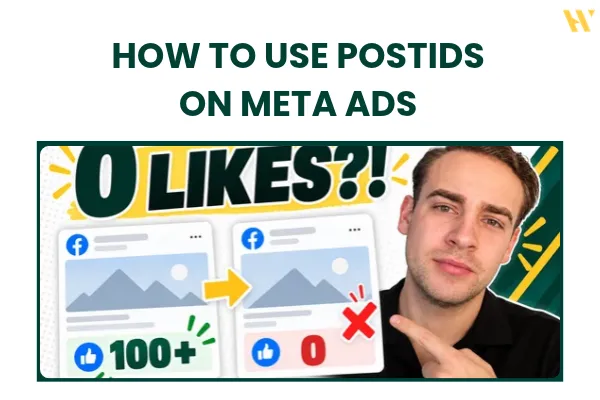
If you duplicate an ad without reusing its original post, you can lose all the existing likes, comments, and shares on the new version.
And if you've already spent hundreds or thousands of dollars promoting that creative, why would you want to start its engagement from zero?
This is where the Meta Ads Post ID strategy comes in.
It's a simple way to reuse your winning Facebook ads across different campaigns while keeping their existing social proof.
I use this strategy when scaling winning creatives, building evergreen ads, and restructuring campaigns.
In this guide, I'll explain exactly how Post IDs work, when I use them, how to set them up in Meta Ads Manager, and some downsides you need to understand before using them.
If you'd rather watch the full tutorial, here's the video:
What Is a Post ID in Meta Ads?
Every Facebook post has a unique identifier called a Post ID.
When you create an ad in Meta Ads Manager, that ad is associated with an underlying post.
That post can collect engagement, including:
Likes and reactions
Comments
Shares
Other visible engagement signals, depending on the format and placement
Now, let's say you're running a creative testing campaign.
You have five different ads, and one of them is performing extremely well.
It's getting purchases, the CPA looks good, and people are engaging with it.
You decide to move that winning ad into a separate scaling campaign.
If you create a fresh ad using the same image, video, and copy, Meta can treat it as a new post. The engagement from the original post won't automatically appear on the new one.
The creative might look exactly the same, but you've lost the visible social proof.
Using the original Post ID allows you to reference the existing post instead of creating a completely new one.
This means you can reuse the same creative while retaining its accumulated engagement.
And that makes Post IDs particularly useful when you're working with winning ads.
Why Social Proof Matters When Scaling Facebook Ads
Imagine two identical Facebook ads.
The first has:
12 likes
No comments
No shares
The second has:
19,000 likes
1,500 comments
Hundreds of shares
Which one would you pay more attention to?
Probably the second one.
Of course, engagement doesn't automatically mean an ad converts better. You still need the right offer, creative, landing page, and targeting.
But visible social proof can help establish credibility.
When people see that others have already engaged with your ad, they have more context about the business or product.
And for ecommerce stores, service businesses, and lead generation campaigns, that can be useful.
The important thing is that you don't have to throw away the engagement you've already accumulated every time you want to reuse a winning creative.
That's the main reason I like the Post ID strategy.
Three Situations Where I Use Post IDs
There are three main scenarios where I like to use Post IDs in my Meta Ads campaigns.
1. Scaling Winning Ads Faster
This is probably the most common one.
Let's say you're running a creative testing campaign with a daily budget of $20 or $50.
You've found an ad that's performing really well.
Now you want to scale it.
One option is to gradually increase the budget of your existing campaign.
A common approach is to increase spending in smaller increments, sometimes around 10% to 20%, and monitor performance.
But what if you're entering a promotional season?
Maybe you're preparing for Black Friday, or you have a limited-time offer and enough budget to spend more aggressively.
You might not want to wait several days to increase your budget.
Instead, you can take your winning ad and move it into a separate scaling campaign using its Post ID.
For example, you could test the creative with $50 per day, then reuse that same post in a scaling campaign with an initial budget of $200 or $500 per day.
These are example budgets, not guaranteed spending levels or results. The actual budget should depend on your performance data and how much you can afford to test.
The main advantage is that you're reusing a creative that has already demonstrated good performance while keeping its existing engagement.
This works for both ecommerce and lead generation campaigns.
Just remember that using a Post ID doesn't guarantee the new campaign will perform exactly like the original one. You still need to monitor the results.
2. Creating Evergreen Meta Ads
The second situation is when you want to build evergreen ads.
An evergreen ad is a creative you can keep running without needing to update the message every couple of weeks.
For example, if you're advertising a service business, you might create an ad explaining your core offer.
Instead of including a temporary discount or a specific price that might change, you focus on the main problem your service solves.
That gives the creative a longer potential lifespan.
The same applies to ecommerce stores.
You might have a top-selling product that's consistently generating purchases.
Instead of rebuilding the ad every time you launch a new campaign or target a new audience, you can reuse its existing Post ID.
Over time, that post can accumulate more engagement.
This is how you can end up with an evergreen creative that has thousands of likes and hundreds of comments.
But there's an important condition.
The offer, ad copy, creative, and landing page need to remain relevant.
If you're constantly changing prices, promotional messaging, or the destination URL, this strategy becomes less practical.
I'll explain why in the downsides section.
3. Restructuring an Existing Ad Account
The third situation is particularly useful for media buyers and agencies.
Let's say you're taking over a new client's Meta Ads account.
The campaign structure is messy, there are multiple campaigns running, and you want to reorganize everything.
But the account also has a few winning ads.
You don't want to throw those creatives away just because you're changing the campaign structure.
Instead, you can identify the winning ads, find their Post IDs, and reuse them inside your new campaigns.
This allows you to keep the existing engagement while building a cleaner structure around the creatives.
One thing to clarify: reusing a Post ID preserves the post's social proof, but it doesn't automatically transfer the old campaign's learning history. A new campaign or ad set still needs to optimize delivery.
So the benefit here is preserving a proven creative and its visible engagement, not bypassing Meta's entire learning process.
My Meta Ads Creative Testing and Scaling Structure
Now let's get into how I actually use this.
I normally separate creative testing from scaling.
The idea is simple.
You keep testing new creatives while moving proven winners into campaigns designed for scaling or testing different markets.
Here's how the workflow looks.
Step 1: Test New Creatives
First, I run a creative testing campaign.
In the video, I'm using a CBO campaign, also known as campaign budget optimization.
Inside that campaign, I test different creatives across multiple ad sets.
The goal is to identify ads that actually convert.
I'm not just looking at which ad gets the most likes or comments.
I want to see real performance.
Depending on the campaign, that might mean purchases, leads, CPA, or ROAS.
Once I find a winning ad, I can move to the next step.
For a more detailed breakdown of this system, check out my Meta Ads campaign structure guide for 2026.
Step 2: Move Winners Into a Scaling Campaign
Once an ad has proven itself in testing, I find its Post ID.
Then I use that ID to create an ad inside my scaling campaign.
The important part is that I'm reusing the original post.
This means I don't need to recreate the ad copy, upload the image or video again, or rebuild the original creative.
I'm using the same post that's already been tested.
And because I'm referencing the existing post, I can retain its accumulated likes, comments, and shares.
Step 3: Reuse Winners in Audience Testing
Let's say I also want to test different countries, markets, or audiences.
I can reuse the same winning Post ID inside a separate audience testing campaign.
That allows me to test how the existing creative performs in different markets without rebuilding the ad from scratch.
Now I have a simple structure:
Creative testing campaign: Find new winning ads.
Creative scaling campaign: Scale the proven creatives.
Audience testing campaign: Test proven creatives across different audiences or markets.
And the creative testing doesn't stop.
Every week, I continue testing new ads.
When I find another winner, I can move it into scaling or audience testing using its Post ID.
That's the overall system.
If you're also using AI to generate new creative variations, I've covered that in my AI creative workflows guide.
AI can help generate hooks, angles, and creative ideas, but you still need a proper testing process to identify what actually works.
How to Find a Facebook Ads Post ID
Now let's get into the practical setup.
The exact interface in Meta Ads Manager can change, but here's the process I demonstrate in the video.
Step 1: Find Your Winning Ad
Open Meta Ads Manager and go to the campaign where your winning ad is running.
Navigate to the ad level and select the creative you want to reuse.
Before doing anything else, make sure it's actually an ad you want to scale.
Look at the results, not just the engagement.
Step 2: Open the Facebook Post Preview
Open the ad preview.
In the workflow shown in my tutorial, I select the option to view the Facebook post with comments.
This opens the post in a separate browser tab.
You can see the actual post and its existing engagement.
Step 3: Find the Post ID
In the video, I show how to identify the Post ID from the Facebook post URL.
The example URL contains multiple sets of numbers, and I copy the number associated with the post.
One thing worth checking in the current Ads Manager interface is the Post ID displayed in your Page posts section. URL formats aren't always consistent, so if an ID copied from a browser address doesn't work, use the identifier provided directly by Meta.
Once you have the correct Post ID, copy it.
How to Use a Post ID in a New Meta Ads Campaign
Now that you've found the Post ID, you need to reuse it.
Step 1: Open Your Scaling Campaign
Go to the campaign where you want to run the winning creative.
This could be your scaling campaign or a separate audience testing campaign.
Create or duplicate an ad to prepare the new setup.
Step 2: Select Use Existing Post
At the ad level, find the ad setup section.
Instead of creating a new ad from scratch, select Use Existing Post.
Depending on the interface, you'll be able to select an existing post or enter its Post ID.
Step 3: Enter the Post ID
Paste the Post ID you copied earlier.
Select the correct post and confirm it.
The existing creative should now appear in the new ad setup.
Step 4: Double-Check the Preview
This is important.
Before publishing, check that you're using the correct post.
Look at the image or video.
Check the ad copy.
Check the landing page.
And make sure the expected likes and comments are visible where supported.
You don't want to accidentally reuse the wrong creative.
Step 5: Update Your Naming Convention
One small thing I like doing is adding the Post ID to the end of the ad name.
For example, instead of leaving the duplicated ad name with "Copy" at the end, I replace that part with the Post ID.
That way, whenever I look at campaign reports, I can quickly identify which ads are using existing posts.
It's also useful when analyzing ad account data with AI.
I can see the Post ID in the naming convention and understand how the same creative is being used across campaigns.
For more on how I approach campaign reporting and performance analysis, check out AI Meta Ads Analysis.
The Downsides of Using Post IDs
Post IDs are useful, but I wouldn't recommend using them for every single ad.
There are three downsides worth understanding.
1. You Have Limited Editing Flexibility
When you're using an existing post, you're reusing its original content.
You can't simply treat it like a fresh creative where you change everything independently.
Let's say you notice a typo in the ad copy.
Or the product landing page changes.
Or you need to update the promotional message.
Now you've got a problem.
Changes to the underlying post or replacing the creative can affect the social proof you're trying to preserve.
That's why I prefer using Post IDs when the ad copy, creative, and landing page are already finalized.
If you know you'll need to keep changing the message, creating a fresh ad might be the better option.
2. Negative Comments Come With the Post
This is the other side of social proof.
Yes, you keep the positive engagement.
But you also keep the negative comments and reactions associated with that post.
Imagine an ad that's performing well but has a comment section full of complaints.
Maybe customers are unhappy with the product.
Maybe there are bad reviews.
Or maybe the post has accumulated negative reactions.
I wouldn't automatically move that ad into another campaign just because its conversion metrics look good.
Check the comments first.
The existing engagement should support the creative, not work against it.
3. You Still Need to Watch for Ad Fatigue
If you're running the same Post ID across multiple campaigns, you could end up showing the same creative repeatedly to overlapping audiences.
And over time, that can contribute to ad fatigue.
Your ad might start losing attention.
The click-through rate might drop.
Your CPA could increase.
Or your ROAS might start falling.
Using a Post ID doesn't prevent any of this.
That's why I recommend checking performance daily or every second day after making changes.
Watch the actual conversion results, compare them with the testing campaign, and keep an eye on whether the creative is losing momentum.
If you want to understand how to review these signals more systematically, my Meta Ads training resources cover campaign setup, tracking, optimization, and scaling.
When Should You Use Post IDs?
Here's the quick checklist I would follow.
Use Post IDs when:
You have a proven winning Meta ad.
Your ad copy and landing page are final.
You want to reuse the creative in another campaign.
You want to preserve existing social proof.
You're building an evergreen ad.
You're restructuring an account and want to retain your proven creatives.
Avoid Post IDs when:
You still need to edit the ad copy or landing page.
The creative contains outdated promotional messaging.
The post has too many negative comments or reactions.
The original ad isn't performing well.
You need a genuinely new creative for testing.
And remember, having a lot of likes doesn't automatically make an ad profitable.
A winning ad still needs to deliver the conversions you're optimizing for.
Final Thoughts: Keep Testing, Keep Scaling
The Meta Ads Post ID strategy is one of those small things that can make your campaign management much easier.
You don't need to rebuild a winning creative every time you want to reuse it.
You can find the existing Post ID, move the creative into a scaling or audience testing campaign, and keep its social proof.
For me, the bigger benefit is how this fits into a repeatable campaign structure.
I test new creatives every week.
I identify the winners.
Then I use Post IDs to reuse those winners in my other campaigns.
And I keep testing.
Simple.
Just remember to check your copy and landing page before reusing the post, watch the comments, and monitor performance for ad fatigue.
If you want to see exactly how I do this inside Meta Ads Manager, watch the full tutorial here:
Want More Practical Meta Ads Strategies?
If you're running Facebook and Instagram ads and want to understand how to structure, test, optimize, and scale campaigns, check out Meta Ads Systems by Wupscale.
Inside the community, I share practical Meta Ads tutorials, campaign workflows, creative testing strategies, and AI tools that help with advertising.
You can join directly here:
https://www.skool.com/advertising
See you inside!
Máté