Skool Not Tracking Purchases in Meta? The Free Conversions API Fix
Skool Not Tracking Purchases in Meta? The Free Conversions API Fix
If you are running Meta ads to a paid Skool community with a free trial, and your ads look like they should be working but they are not converting, I want to save you the two weeks I just lost to this.
Here is what is almost certainly happening: Skool is not firing your purchase events to your Meta pixel. So Facebook thinks your product is failing when it is actually working. Your delivery gets throttled on bad data, and no amount of creative or audience testing will fix it, because the problem is not your ads. It is your tracking.
I hit this exact wall on my own community, Skool support could not help, so I built a fix. It is free, it takes about 15 minutes, and I will walk you through the whole thing. If you would rather watch me do it on screen, the full video is here: Your Skool Ads Aren't Broken. Your Pixel Is Lying to You.
The problem: great numbers, ads that will not convert
Quick background. I grew my Skool community past 1,000 members on the free plan, then recently started monetizing and running ads to grow the paid side. I added a free trial, and the results looked great. Signups jumped. Conversion rates jumped. On my best days the free trial was converting at 12 to 14 percent.
But the ads told a different story. Strong CTR, almost 2 percent. Cheap clicks. And then I spent $200 and got 3 purchases. The conversion rate on my about page was reading under 2 percent, which is terrible, and it made no sense next to those click metrics.
When your ad metrics look healthy but conversions do not show up, that is almost always a tracking problem, not a creative problem. This is the first thing I check, and it is the first thing we drill inside Meta Ads Systems: before you blame the ads, prove the data is real.
The diagnosis: half my purchase events were missing
So I went into Events Manager, which honestly I should have checked earlier.
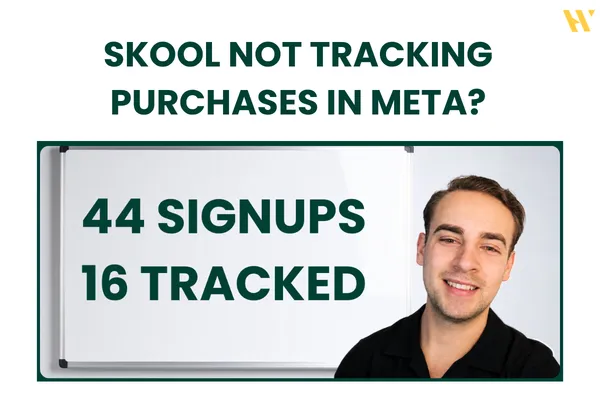
I pulled the last 28 days and looked at the purchase event. It showed 16 purchases. But over on Skool, the last 30 days showed 44 signups on a community that had been paid for over a month. The pixel should have been showing around 40 purchase events. More than half were missing.
That gap is the whole problem. My campaigns were optimizing for purchases. Facebook looked at my account, saw almost no purchases coming in, and basically concluded: this guy's product is bad, nobody is buying, we will stop pushing his ads. Which was the opposite of the truth, because the signups were pouring in on Skool. Meta just could not see them.
Here is a detail worth knowing. Even Skool's own documentation is a little inconsistent on this. The purchase event is supposed to fire when someone joins a paid community, and when someone starts a free trial. But I saw information suggesting it only fires after the 7 day trial ends and the actual charge happens. That wrecks Meta's attribution window, which is also 7 days, so the conversion lands outside the window and never gets credited to the ad. Either way, it was not working, and Skool support told me they did not have a fix.
The fix: send a custom event through the Conversions API
So I built my own, and the good news is it is free. It uses a simple Zapier zap that sends a custom Skool purchase event straight to Meta through the Conversions API every time someone joins as a paid member or starts a free trial.
One requirement up front: you need to be on Skool's $99 plan, because that is what unlocks the Zapier integration. The Zapier free plan is enough for the zap itself.
Here is the setup at a high level. The full click-by-click is in the video, but this is the shape of it.
Step 1: the trigger. In Zapier, create a new zap and choose Skool as the trigger app. The trigger event is New Paid Member. The first time, you connect your Skool account by turning on the Zapier integration inside your Skool plugins and pasting the code it gives you. Then you can pull a recent member to map the data: email, first name, last name.
Step 2: the action. Add the Facebook Conversions app (Meta may rename this to Meta Conversions at some point, so look for either). The action event is a custom Other event. Connect your Facebook account, select your ad account, then set the action source to Website and select your business and the pixel you use for your Skool community.
Name the event something clear. I used "school purchase." You enter it as a custom value. For the event source URL, use your Skool group's about page, since that is where the conversion happens.
Then map the customer data from step 1: email, first name, last name, phone if you collect it. Turn on enhanced field mapping for all of them so the match quality is good.
One honest limitation. Skool does not pass the purchase value through, so you cannot pull the exact amount someone paid. In my case I have three plans at three prices, so there is no clean value to send. That means you cannot calculate true ROAS from this event. Everything else tracks correctly, and there may be a way around the value problem that I have not cracked yet.
Publish the zap, and to test it, sign up for your own free trial from another account. It costs nothing. Expect a 15 to 50 minute delay before the event appears in Events Manager.
The last step most people miss: the custom conversion in Meta
Getting the event firing is only half of it. You also have to be able to optimize for it, and it will not show up in your ad set conversion dropdown by default.
Go into your pixel and create a custom conversion. Select your pixel, set the action source to Website, and instead of a standard event, choose your custom event, the "school purchase" one. Point the URL rule at your Skool about page. Name the custom conversion the same name you used in Zapier so you do not confuse yourself later.
The first time you create it, it lands under inactive events and shows up grey. Do not panic about the grey. It turns green in a day or two once it starts collecting conversions. After that, you select it as your conversion event and Meta optimizes for the event that actually reflects your signups.
The results after fixing tracking
I restarted the same campaigns, same creative test, same audience test, nothing else changed. Within a day I had a purchase tracked with the new school purchase event, and the numbers moved fast.
On the creative test, combined CPM around $13 for tier one countries, US, UK, Canada. CPC under 50 cents, roughly half what I was seeing before. CTR up. Now that Meta could see the conversions coming in, it understood the ads were working and started sending better traffic. That is the whole point. You are not just measuring more accurately, you are feeding the algorithm the signal it needs to deliver.
Who this is for
This is a niche problem. Not every Skool owner has a tracking issue. But if you are running ads to a paid Skool community, especially with a free trial, and your conversions are not matching your signups, this is a genuine fix, not a workaround. And even if you do not run a free trial, if your Events Manager is under-reporting, the Conversions API event will be more accurate than the pixel alone.
If you want to go deeper on the ad side once tracking is solid, our Meta Ads training covers the campaign structure and creative testing that turns accurate data into actual scale, with breakdowns from real results.
Fix the data before you touch anything else
Here is the takeaway. Most people in this situation start swapping creatives, changing audiences, rewriting copy. None of that helps when the real issue is that Meta cannot see your conversions. Fix the tracking first. Then, and only then, does optimizing the ads make sense.
Most people are not bad at Meta Ads. They are just optimizing on top of broken data, which produces random results no matter how good the ads are.
Inside Meta Ads Systems, our Skool community, we go through tracking, campaign structure, creative testing, and scaling in order, so you build on data you can actually trust. Plus more Skool ads strategies exactly like this one. It starts at 9 dollars a month.
Join Meta Ads Systems on Skool and stop optimizing on top of broken data.
And if you want to watch the full step by step setup, the video is here: Your Skool Ads Aren't Broken. Your Pixel Is Lying to You.